07
Whats My IP
What's My IP? Your Ultimate Guide to Understanding IP Addresses and How to Find Yours
Hey there, reader. Picture this: It's a rainy Tuesday evening back in 2018, and I'm huddled over my laptop in my cramped apartment, trying to figure out why my online gaming session with friends keeps dropping. Frustrated, I start Googling random tech terms, and bam— I stumble upon "What's my IP?" It turns out my router was acting up because of a conflicting IP address on the network. That little discovery not only saved the night but sparked my fascination with how the internet really works under the hood. Fast forward to today, and I've dived deep into networking quirks, from troubleshooting home setups to helping buddies secure their online presence. If you've ever wondered about that mysterious string of numbers tying your device to the web, you're in the right place. This guide will walk you through everything from the basics of IP addresses to practical tips on finding yours, all while keeping things light-hearted and relatable. After all, who hasn't felt that mix of confusion and triumph when fixing a tech glitch? Let's dive in and demystify "What's my IP" together.
What is an IP Address?
An IP address, short for Internet Protocol address, is basically your device's digital fingerprint on the internet— a unique identifier that lets computers communicate with each other across networks. Think of it like a home address for mail; without it, data packets wouldn't know where to go, whether you're streaming a video or sending an email. It's assigned by your internet service provider (ISP) and can reveal bits about your location, but don't worry, it's not as spooky as it sounds at first glance.
The Basics of IP Addresses
At its core, an IP address is a series of numbers separated by dots or colons, acting as a routing label for online traffic. It ensures that when you type a website into your browser, the request zips to the right server and back without getting lost in the digital ether. Over the years, I've seen folks panic thinking their IP is like a permanent tattoo, but it's often dynamic and changes with network shifts.
IPv4 vs IPv6: What's the Difference?
IPv4 is the older standard using four groups of numbers, like 192.168.1.1, but it's running out of unique combos with billions of devices online. IPv6 steps in with a longer format, like 2001:0db8:85a3:0000:0000:8a2e:0370:7334, offering way more addresses to handle our gadget-crazy world. Switching to IPv6 feels like upgrading from a tiny apartment to a sprawling mansion— plenty of room for everyone.
FeatureIPv4IPv6Address Length | 32 bits | 128 bits
Format Example | 192.168.1.1 | 2001:0db8:85a3:0000:0000:8a2e:0370:7334
Total Addresses | About 4.3 billion | Roughly 340 undecillion
Security Features | Optional IPsec | Built-in IPsec
Common Use | Most current networks | Growing adoption for IoT and future-proofing
Types of IP Addresses
IP addresses come in different flavors, each serving a specific role in how devices connect locally or globally. Understanding these helps you troubleshoot issues or boost your privacy, like when I realized my home network's private IP was clashing during that gaming fiasco. It's all about knowing what's public-facing versus what's tucked away behind your router.
Public IP Addresses
A public IP is the one visible to the outside world, assigned by your ISP, and used for all your internet activities. It's like your house's street address— anyone can send stuff your way, but it also means potential snoopers could track you. Mine changes occasionally when I reboot my modem, which is a handy reset for minor glitches.
Private IP Addresses
Private IPs are for internal networks, like your home Wi-Fi, and aren't routable online— think 192.168.x.x or 10.x.x.x ranges. They let multiple devices share one public IP via your router, keeping things efficient and secure from direct external access. I once mixed up my private IP with a public one while setting up a printer, leading to a hilarious hour of head-scratching.
Why Should You Know Your IP Address?
Knowing your IP can be a game-changer for everyday tech woes, from diagnosing connection problems to setting up smart home gadgets. It's empowering, like having a backstage pass to your own network— I've used it to whitelist devices on my firewall and even geolocate lost phones. Plus, in a world of cyber threats, awareness helps you stay one step ahead without paranoia.
Everyday Uses for Your IP
From remote work setups to online banking, your IP verifies your identity and location subtly in the background. It's key for things like accessing region-locked content or collaborating on shared files. I remember using mine to join a virtual family reunion during the pandemic, bridging distances effortlessly.
IP in Gaming and Streaming
Gamers swear by stable IPs for low-latency play, while streamers check theirs to optimize bandwidth. A mismatched IP once kicked me out of a raid mid-battle— talk about rage-quit material! Keeping tabs ensures smoother experiences, minus the buffering blues.
How to Find Your IP Address on Different Devices
Finding your IP is simpler than you might think, no tech wizardry required— just a few clicks or commands. Whether you're on a laptop or phone, these steps demystify the process, saving you from endless searches. I've done this countless times, often with a coffee in hand, turning frustration into quick wins.
On Windows: Step-by-Step Guide
Head to Settings > Network & Internet, click on your connection type, then scroll to Properties for your IPv4 or IPv6. For a faster way, open Command Prompt and type "ipconfig"— your details pop up instantly. It's like peeking under the hood of your PC without tools.
On Mac: Easy Methods
Click the Apple menu, go to System Preferences > Network, select your connection, and look under Status or Advanced for the IP. Or use Terminal with "ifconfig" for a geeky vibe. My Mac-loving friend swears by this for quick checks during video calls.
On iPhone or iPad
Tap Settings > Wi-Fi, hit the "i" next to your network, and scroll to see your IP. For cellular, it's under Settings > Cellular > Cellular Data Options. Handy when you're out and about, like when I needed it for a hotspot setup on a road trip.
On Android Devices
Go to Settings > Network & Internet > Wi-Fi, tap your network, and find it under Advanced. Variations exist by model, but it's straightforward. Once, my Android phone's IP helped debug a streaming app that kept crashing— small victory!
Checking Your Router's IP
Type your router's default gateway (often 192.168.1.1) into a browser, log in, and check the status page. This gives your public IP too. I log in monthly to tweak settings, feeling like the captain of my digital ship.
- Pros of Knowing Device-Specific IPs: Quick troubleshooting, enhanced security setups.
- Cons: Can change dynamically, requiring occasional rechecks.
Best Tools and Websites to Check Your IP
If manual digging isn't your thing, online tools make it effortless— just visit and voila, your IP appears. These sites often bundle extras like location info or speed tests, turning a simple query into a mini network audit. I've bookmarked a few for those lazy debugging days.
Top Websites for Instant IP Lookup
Sites like whatismyipaddress.com or whatismyip.com show your public IP at a glance, no sign-up needed. They're reliable and ad-light, perfect for on-the-go checks. I use them when traveling to confirm VPN connections.
Free IP Checker Apps
Apps like IP Tools for Android or Network Analyzer for iOS offer detailed scans beyond basics. They're great for pros but user-friendly enough for casuals. Downloaded one during a hotel Wi-Fi nightmare— lifesaver!
Tool/WebsiteFeaturesBest ForFree/PaidWhatIsMyIPAddress.com | IP display, location, ISP info | Quick public IP checks | Free
WhatIsMyIP.com | Device-specific guides, privacy tips | Beginners learning basics | Free
IP Chicken | Simple IP reveal with fun interface | Casual users | Free
NordVPN IP Tool | Integrated with VPN, security focus | Privacy-conscious folks | Free (with paid VPN options)
Security and Privacy Concerns with IP Addresses
Your IP isn't just a number— it can leak your approximate location or browsing habits if not protected. Hackers might use it for targeted attacks, but simple steps like VPNs keep you under the radar. I've felt that uneasy vibe when realizing an old IP exposed my city— lesson learned.
Common Risks Associated with Exposed IPs
From DDoS attacks to geo-tracking by advertisers, an open IP invites trouble. It's like leaving your front door unlocked in a busy neighborhood. Stay vigilant, and you'll sleep better.
How to Protect Your IP
Use VPNs to mask it, or proxies for lighter needs— they reroute traffic through secure servers. I switched to a VPN after a sketchy public Wi-Fi scare, and it's been smooth sailing since.
- Pros of IP Protection: Enhanced privacy, access to restricted content.
- Cons: Slight speed dips, subscription costs for premium services.
People Also Ask: Common Questions About IP Addresses
Ever typed "What's my IP" into Google and seen those related queries pop up? They're gold for quick insights. Here, I'll tackle a few based on what folks are searching, drawing from real-world curiosities I've encountered.
Is My IP Address Public or Private?
Most "What's my IP" searches show your public one, but private IPs handle local traffic. Check online for public, device settings for private— easy mix-up, but crucial for security.
Can Someone Track Me with My IP?
Yes, but it's limited to rough location and ISP, not your exact doorstep. It's like knowing a zip code, not the house number. Use tools to stay anonymous if worried.
Why Does My IP Change?
Dynamic IPs from ISPs shift for efficiency, like musical chairs. Static ones stay put for servers. Mine flips with power cycles— annoying but normal.
What's the Difference Between IPv4 and IPv6?
IPv4 is the classic short format running low on space; IPv6 is the expansive upgrade for more devices. Transitioning feels inevitable, like moving from landlines to smartphones.
How Accurate is IP Location Data?
Pretty good for city-level, but not pinpoint— factors like VPNs skew it. I've seen mine list a neighboring town, adding a layer of funny inaccuracy.
Changing or Hiding Your IP Address
Want to switch things up? From VPNs to proxies, options abound for masking your IP, ideal for privacy or bypassing geo-blocks. It's like donning a disguise online— empowering and a bit thrilling. I've used it to watch shows from abroad, feeling like a digital nomad.
Best VPNs for IP Management
Providers like NordVPN or ExpressVPN offer one-click IP changes with strong encryption. They're transactional gems for secure browsing. Picked Nord after reviews— zero regrets.
Free vs Paid Options
Free proxies work for basics but lack speed and safety; paid VPNs deliver reliability. Weigh your needs— I started free, upgraded when serious about privacy.
- Pros of VPNs: Global servers, no-logs policies.
- Cons: Potential for slower connections if not optimized.
FAQ: Answering Your Burning IP Questions
What does "What's my IP" really mean?
It's a query to reveal your public IP address, the one websites see when you connect. Simple as that, but it opens doors to understanding your online footprint.
How often should I check my IP address?
Whenever troubleshooting or after network changes— monthly for peace of mind. I do it sporadically, like a quick health check.
Can my IP address reveal personal information?
Indirectly, yes— location and ISP, but not names or emails without more data. It's why privacy tools are handy.
What's the best way to find my IP without tools?
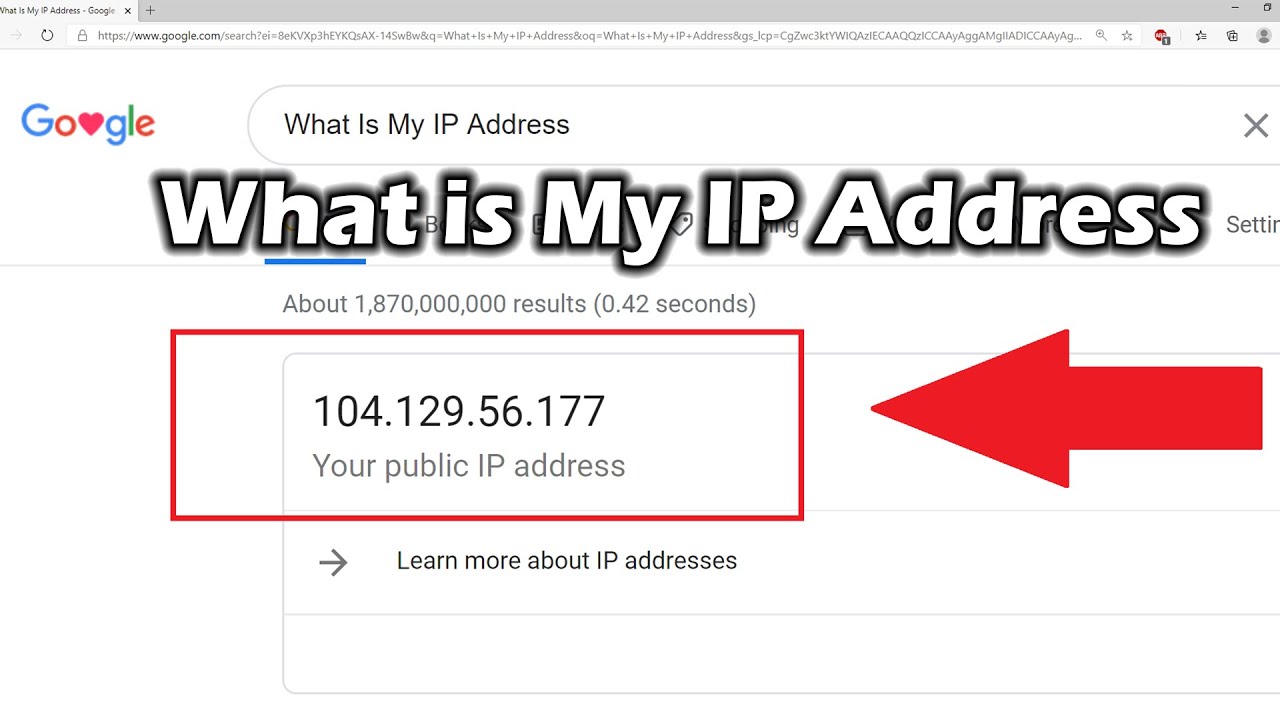
On devices, via settings; for public, search engines like Google display it instantly. No fuss, pure convenience.
Is it safe to share my IP address?
Generally no, as it could invite attacks. Share only if necessary, like with trusted tech support.
Wrapping up, exploring "What's my IP" isn't just tech jargon— it's about owning your digital space. From that rainy night fix to daily privacy tweaks, it's empowered me immensely. Hope this guide does the same for you. Stay curious, stay secure!
Contact
Missing something?
Feel free to request missing tools or give some feedback using our contact form.
Contact Us